Sites and surveys often use specific local or custom coordinate systems to ensure measurement accuracy and comply with site standards. DroneDeploy allows you to export your drone data using a custom coordinate system based on European Petroleum Survey Group (EPSG) codes or your own Ground Control Points (GCPs).
Availability
Local EPSG projections are available on Individual, Teams, and Enterprise subscriptions.
Custom projection exports are available on Teams and Enterprise subscriptions.
Local Projections Overview
In addition to common global coordinate systems such as WGS-84 (EPSG 4326) and Web-Mercator (EPSG 3857), you can export data in hundreds of other local coordinate systems. For example, in California, you might use EPSG:2227: NAD83 / California Zone 3 (ftUS).
Follow these steps to find the correct EPSG code for your project and export your data:
1. Find your EPSG code
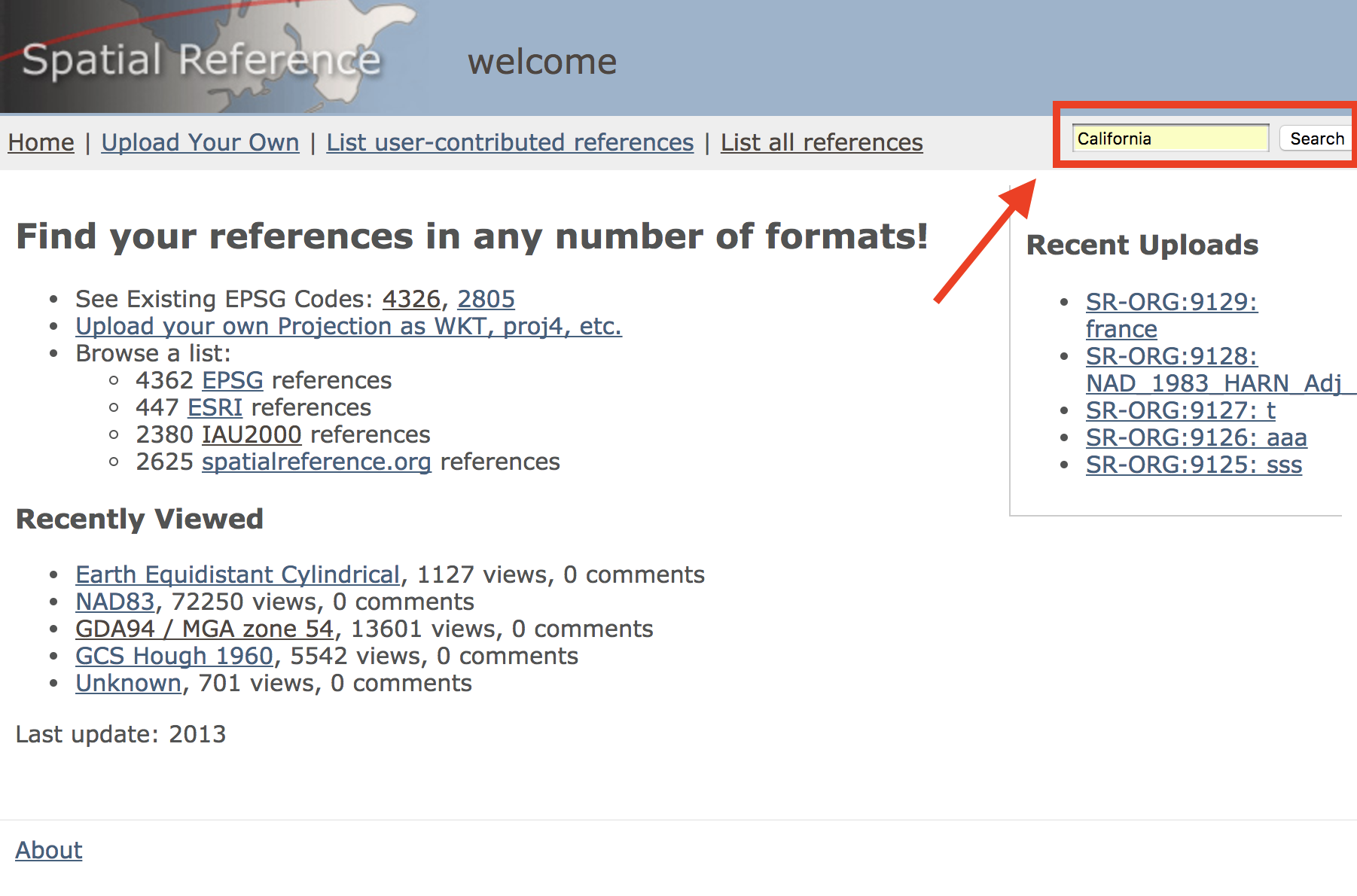
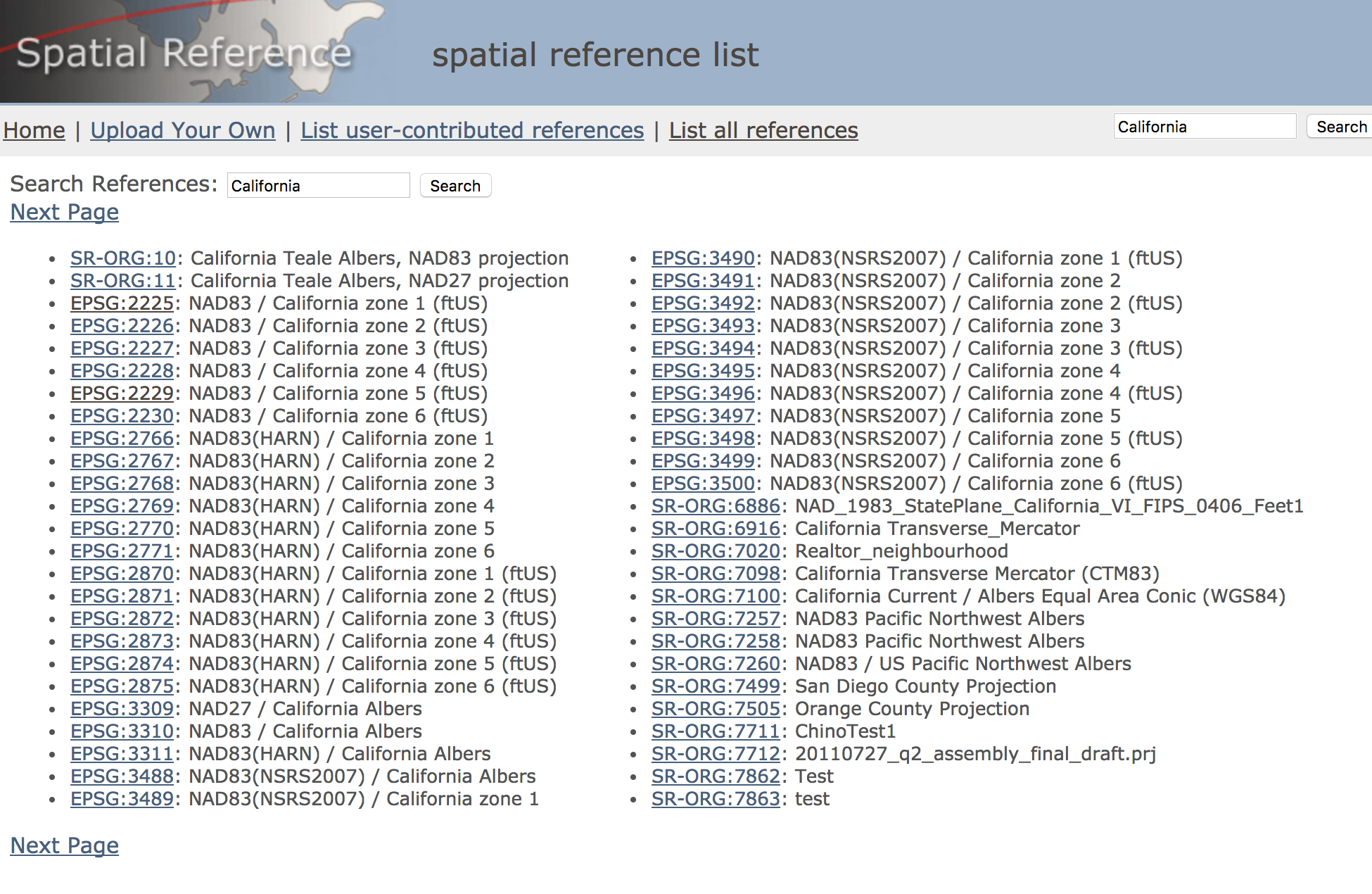
EPSG codes are unique identifiers that describe the desired projection. You can find the EPSG code for almost any projection on the Spatial Reference Organization's website.
Choose a location using the search bar in the upper right.
Select from the suggested codes based on your area and units.
Make note of the EPSG code corresponding to your map.
2. Select the layer to export
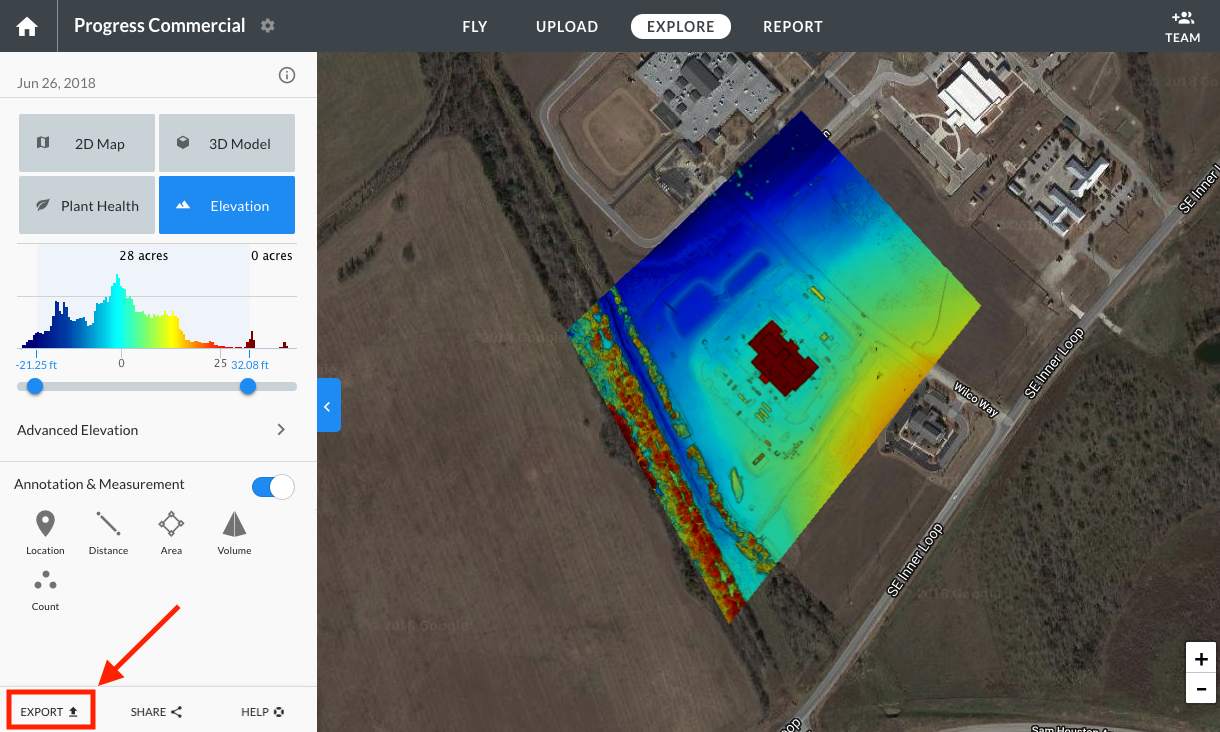
Select the layer you would like to export and click Export.
Note: For Elevation or Plant Health maps, make sure you select the right minimum and maximum bounds under the histogram. For more information on selecting advanced export options, please see Exporting Your Data.
3. Click on map projection
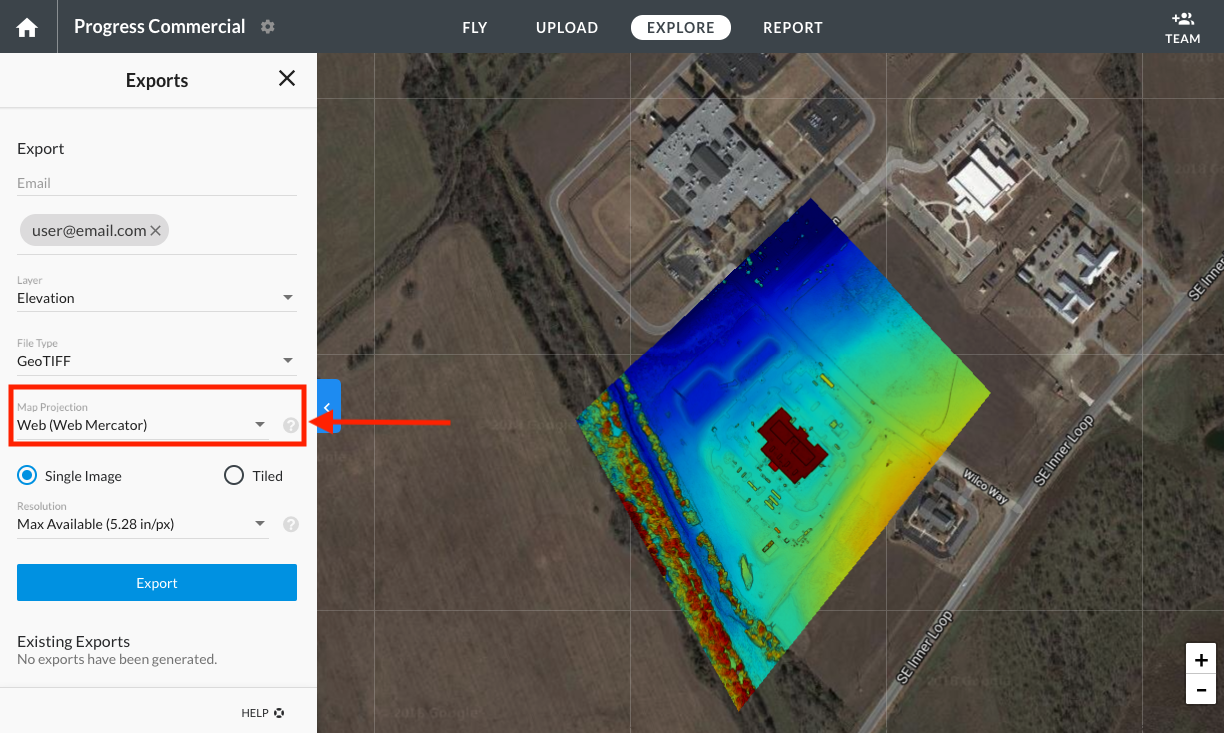
In the export options, click on Map Projection.
4. Select the EPSG code
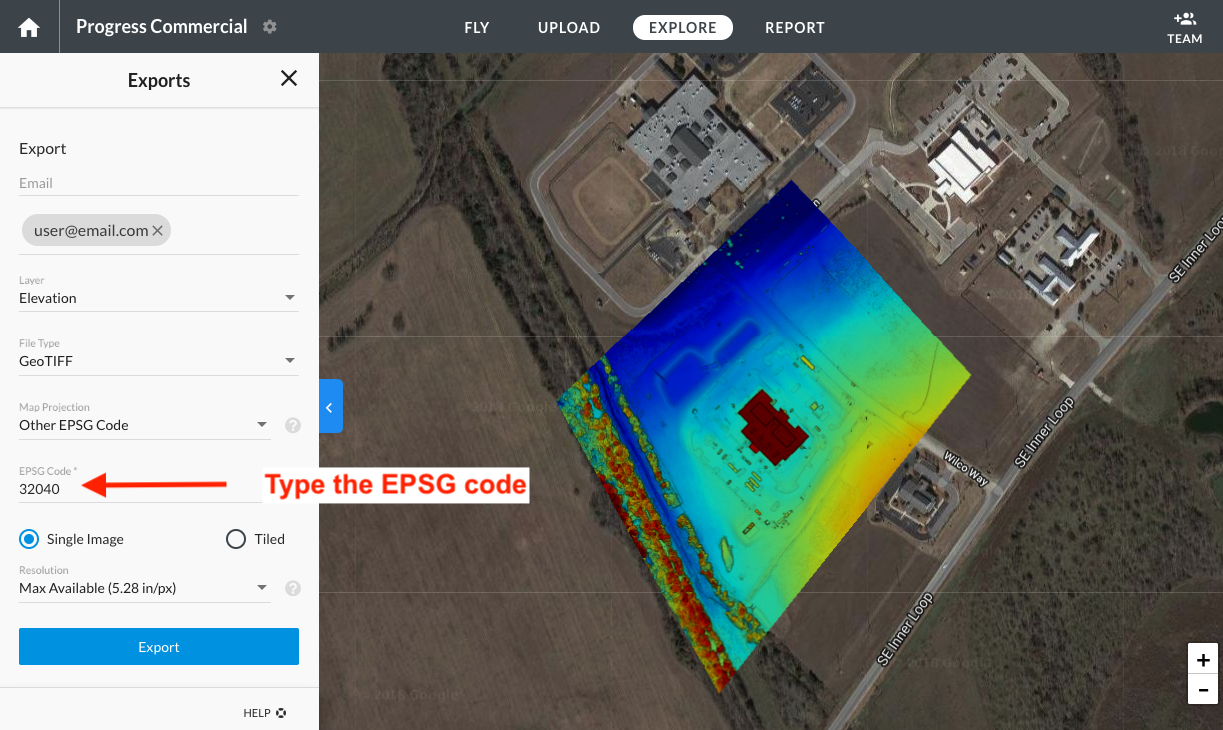
Taking into account the EPSG code from step 1, you can choose one of the following options:
Look for that specific code in the drop-down list of suggested EPSG codes.
Click on the Other EPSG Code option and type the EPSG code.
5. Press export and receive your file
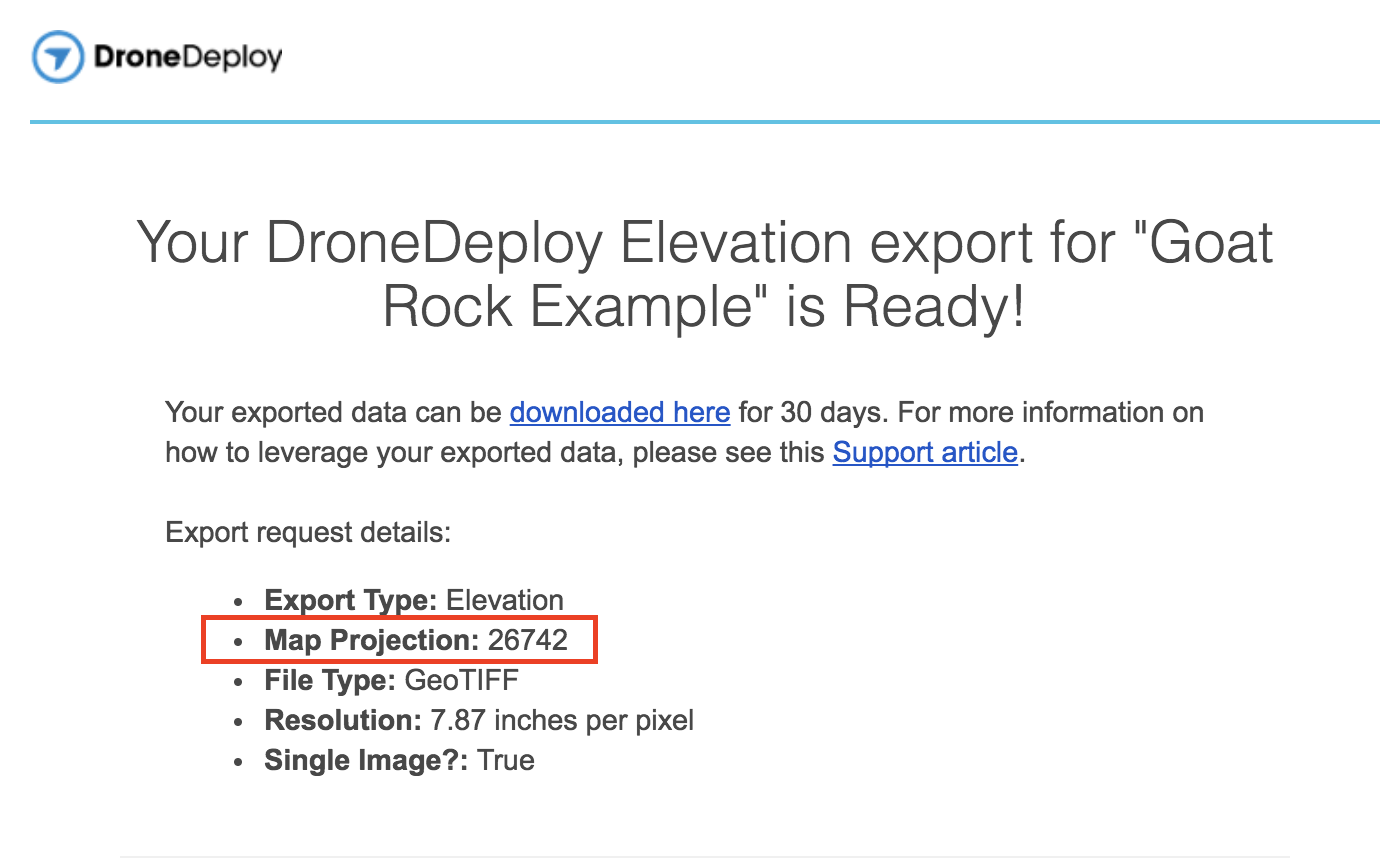
Press Export. You will receive an email with a link to download the map in the specified EPSG projection.
V2.2