A DroneDeploy Organization allows you to manage user roles and permissions for members on your team. You can also share individual maps, missions, or groups of maps and missions, which allows members of your organization to access DroneDeploy data on a need-to-know basis.
Benefits of an Organization
Creating an Organization on DroneDeploy enables you to manage projects and collaborate more effectively. You gain the power to keep projects on track and review data collectively by sharing high-resolution, on-demand maps and 3D models. This also keeps key stakeholders up to speed at all times.
Once you create an Organization, you can unlock co-branding and share your account with other members of your team or with your clients.
Accessing Organizations
DroneDeploy customers on Teams and Enterprise accounts can create Organizations.
How to Create Your Organization
-
Create Your Organization
Navigate to the Preferences option within your DroneDeploy sidebar.
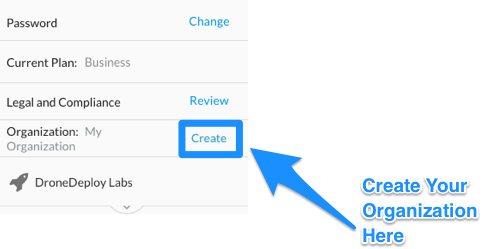
Click on Create in the Organization section.
-
Add Your Organization’s Name and Logo
Once your organization is created, the Create link updates to Manage.
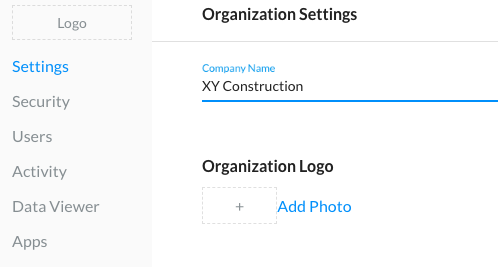
Select the Manage option to proceed to naming your Organization and adding your company logo.
You can find more information on adding your logo as an overlay in Upload your company logo.
What to Do Next
Congratulations! After creating your Organization, you can now:
- Add Members to Your Organization
- Remove a member from your organization
- Share Maps with Organization Members
Organization Members
Members of your Organization can:
Create maps.
Access their own dashboard.
Access and export maps that you share with them.
Collaboratively make measurements and annotations that are shared by all organization members.
V2.2