Capture highly detailed records of your flights automatically to eliminate manual data entry. These logs provide a vital record for regulatory compliance, insurance, and diagnosing technical issues such as crashes or flyaways.
Overview
DroneDeploy automatically records flight information for both automated and manual missions. Each log contains detailed telemetry—real-time data from the drone's sensors—including battery life, GPS positioning, and camera activity. You can use the in-app flight log viewer to playback missions and review flight paths.
Availability
Standard Flight Logs: Available for all DroneDeploy accounts.
Drone Operations Management: Advanced filtering and custom records are available for Enterprise customers.
How to view flight logs
You can access your logs through the project settings in either the web or mobile app.
Open your project in DroneDeploy.
Click the Project Settings gear icon to the right of the map name.
Select Flight Logs.
Click View Flight Log to open the telemetry player.
Note: If no logs appear, ensure your mobile device has a strong Wi-Fi connection and leave the app open for 10 minutes to trigger a sync.
Owner and Admins can search flight logs by dates by using a calendar or a custom range:
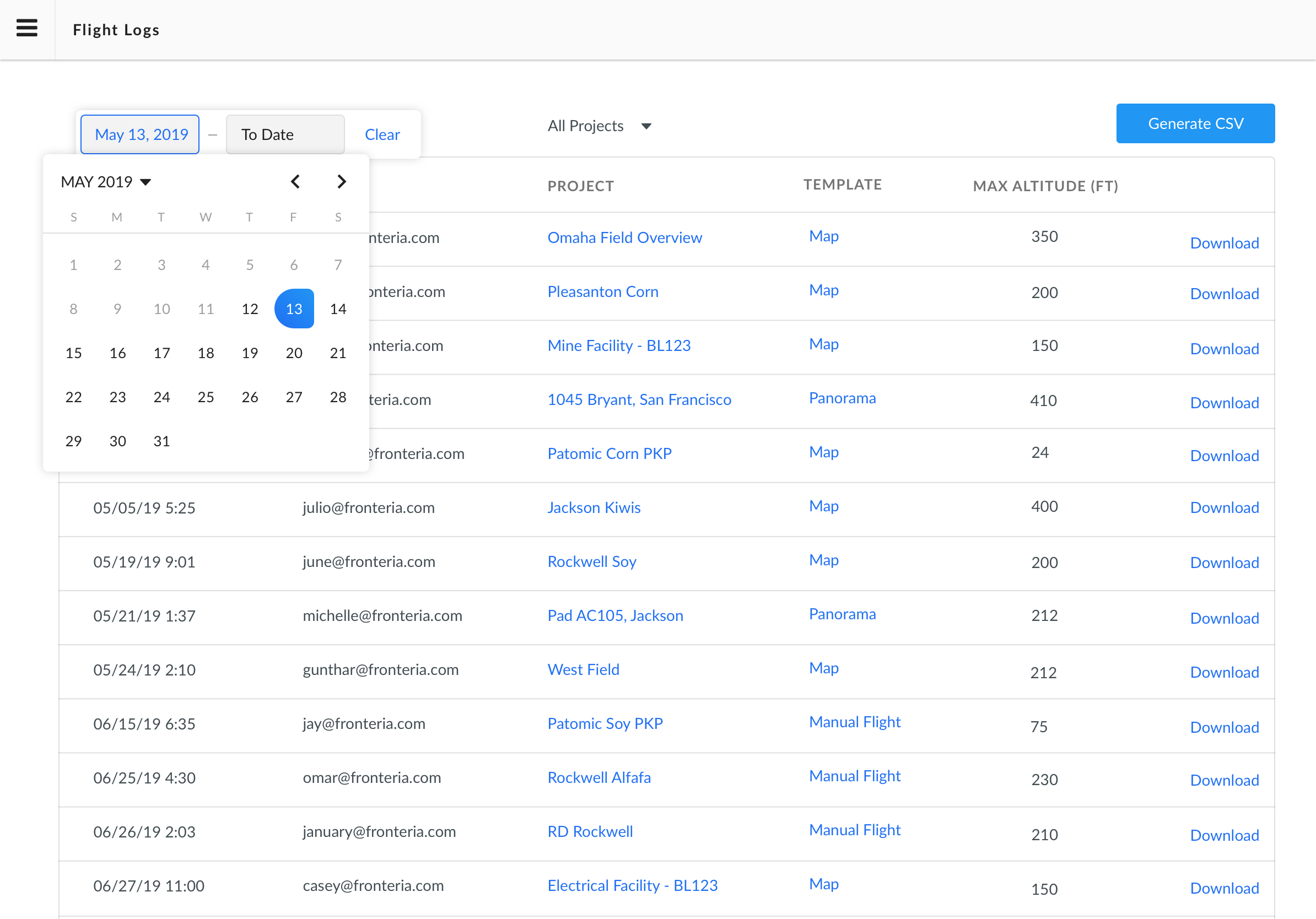
Calendar
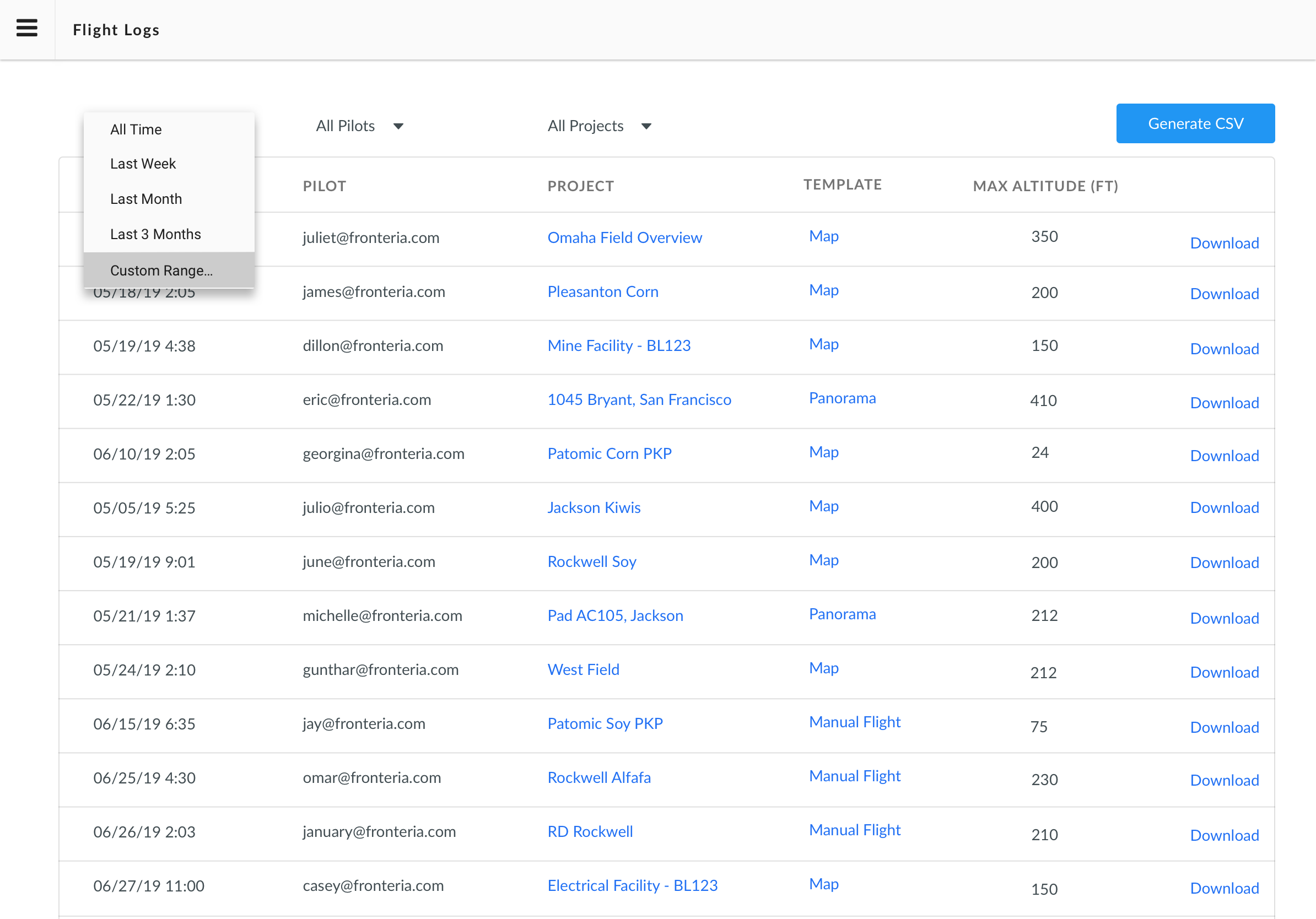
Custom Range
Search by using the Pilots email:
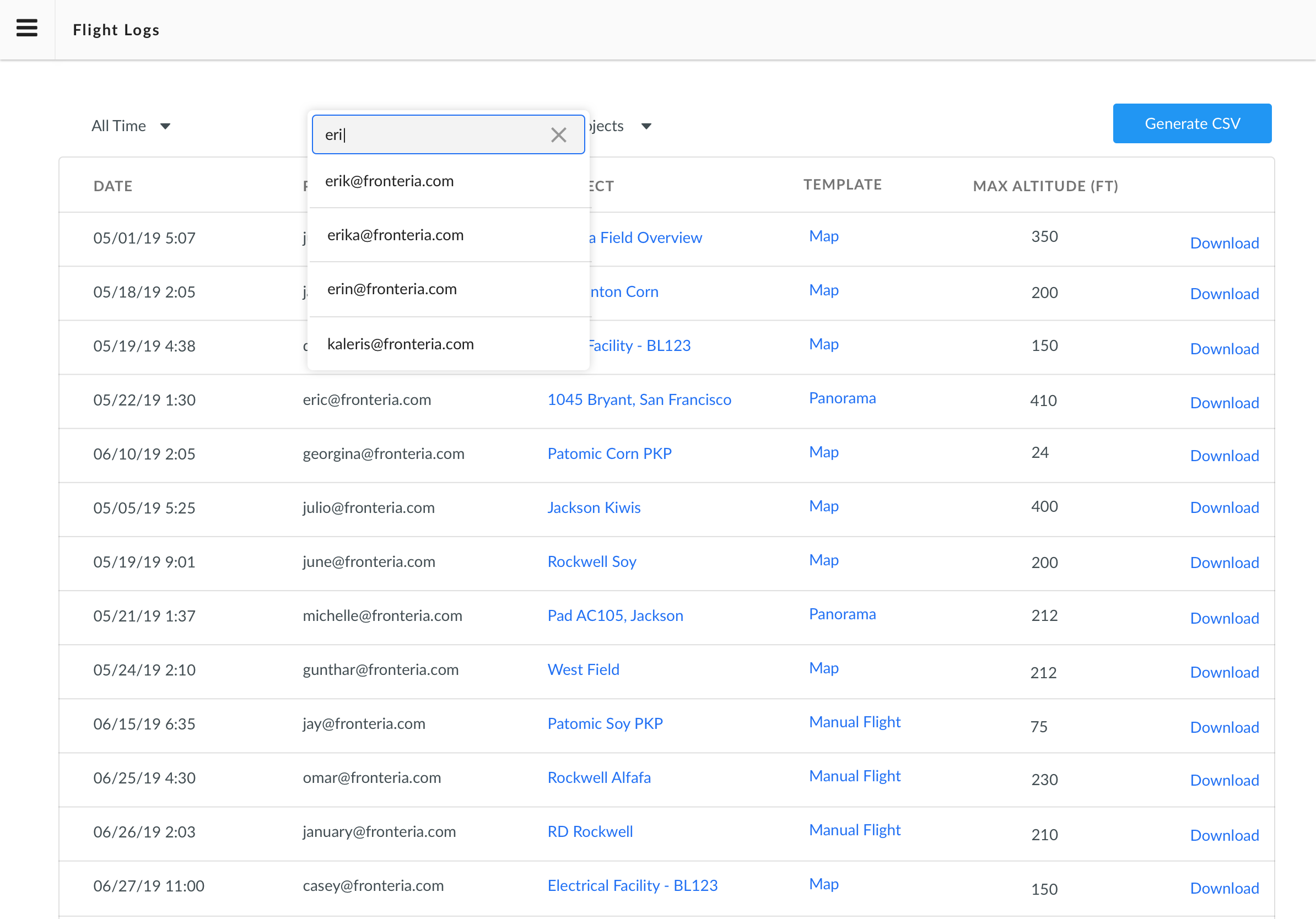
Search by the Project Name:
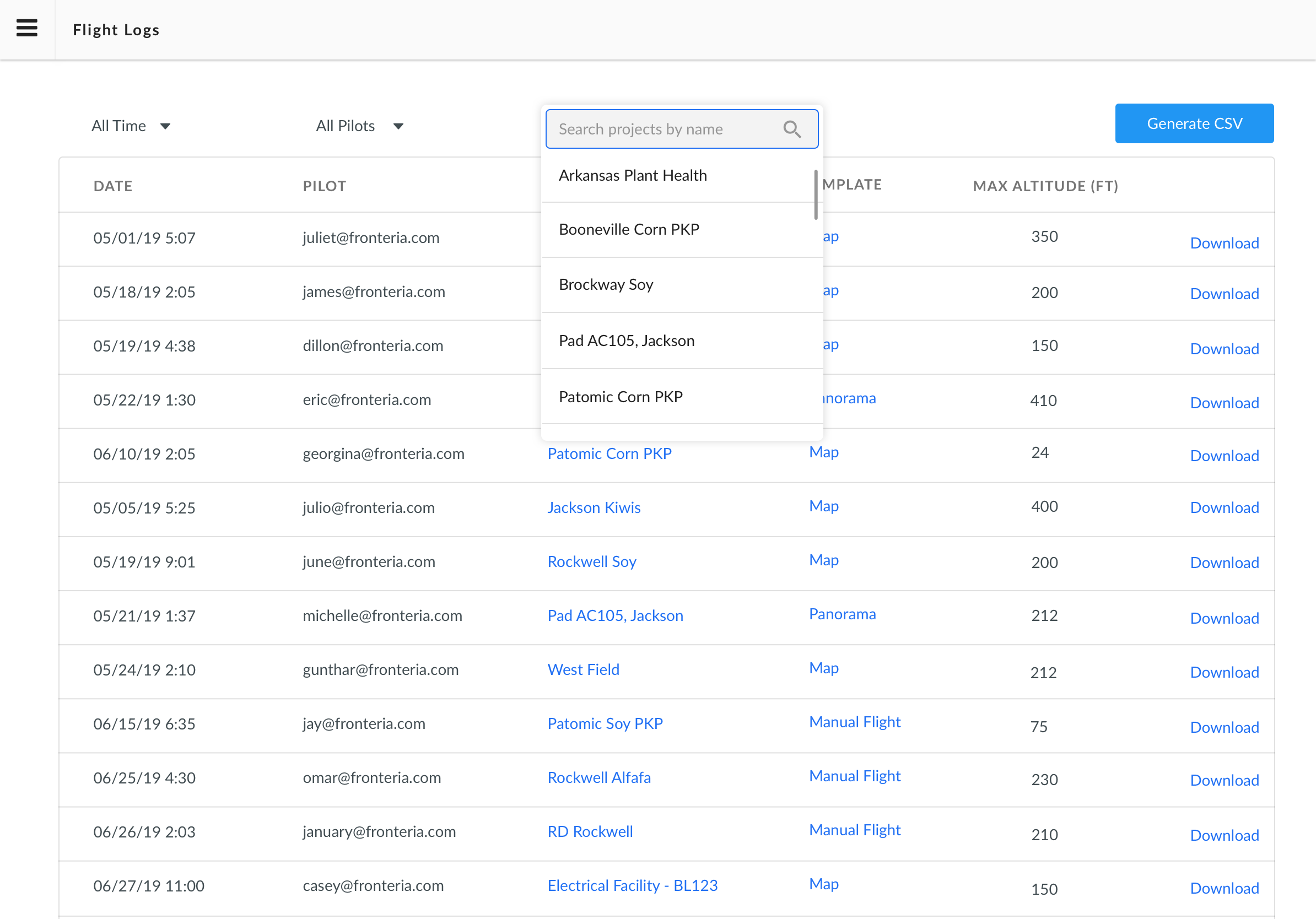
Flight log viewer
DroneDeploy provides an in-application flight log viewer that can be located in the same location where you download the flight log. Clicking on view flight log will take you to the flight log viewer page, where you can view the telemetry and data from your most recent flights.
Key features
Mission Playback: View the drone's exact flight path on a map synchronized with telemetry data.
Data Capture: Review altitude, speed, battery levels and GPS status throughout the flight.
Automated Tracking: Logs record activity for both autonomous plans and Manual Flight modes.
Custom Records: Enterprise users can manually add records for flights conducted outside the DroneDeploy app, such as those flown with DJI Pilot or Autel drones.
Limitations
App Switching: The app stops recording logs if you switch to the DJI app during flight.
Data Retention: Logging out of the mobile app deletes stored information. Always sync or download your logs before logging out.
Third-Party Support: Detailed telemetry is currently limited to supported DJI and Skydio hardware.
FAQs
Q: Does DroneDeploy record logs for manual flights?
A: Yes. Logs for manual flights are captured automatically and can be found in the Project Settings menu.
Q: What should I do if my logs aren't syncing?
A: Ensure your device is online. Navigate to the dashboard and click the Sync icon located to the right of the search bar.
Q: Can I export these logs?
A: Yes. You can download logs directly from the flight log details page for use in third-party software or for regulatory reporting.
V2.2