DroneDeploy provides customizable pre-flight checklists to help teams maintain safety standards and ensure regulatory compliance before every flight. This feature allows administrators to standardize safety protocols across an entire organization, reducing the risk of equipment failure or unauthorized operations.
Availability: Who has access?
Subscription: Available for DroneDeploy Enterprise customers.
Roles: Organization Admins can create and manage checklists. Pilots can view and complete checklists within the DroneDeploy mobile app.
What is the customizable pre-flight checklist?
The customizable pre-flight checklist is a digital safety tool integrated into the flight workflow. Unlike paper checklists, these digital versions sync directly with flight logs, providing a clear audit trail for operations managers.
How to create a checklist
Follow these steps to set up a new checklist for your organization:
Log in to the DroneDeploy web app.
Navigate to the Settings tab on the left-hand sidebar.
Click Organization and select Checklists.
Select Create New Checklist.
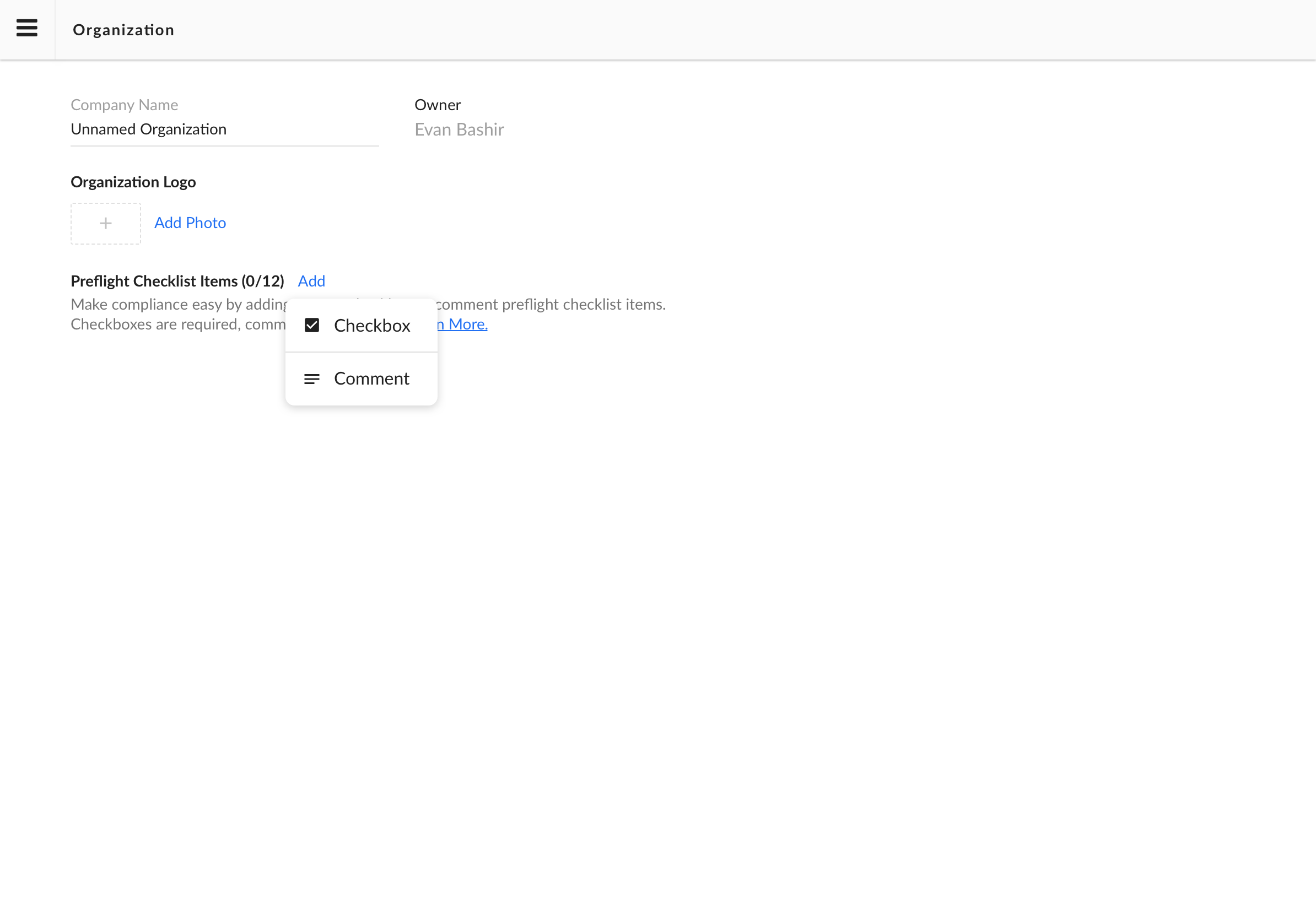
Enter a descriptive name for the checklist in the Checklist Title field.
Add items to your checklist by clicking Add Step.
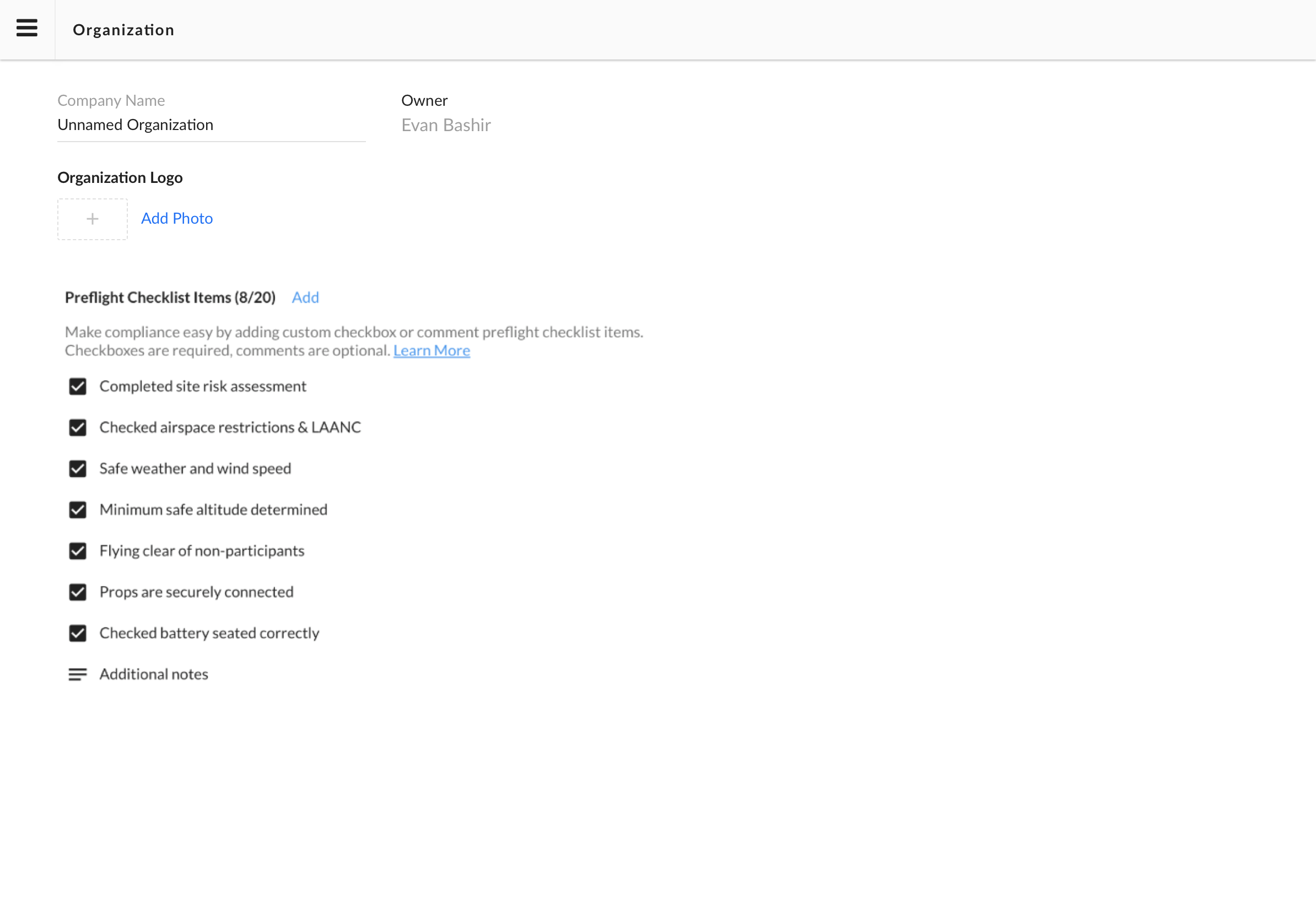
Click Save Changes to publish the checklist to your team.
How to use a checklist in the field
Pilots must complete assigned checklists before the drone can take off:
Open the DroneDeploy mobile app and select your project.
Connect your drone and mobile device.
Tap the Fly button.
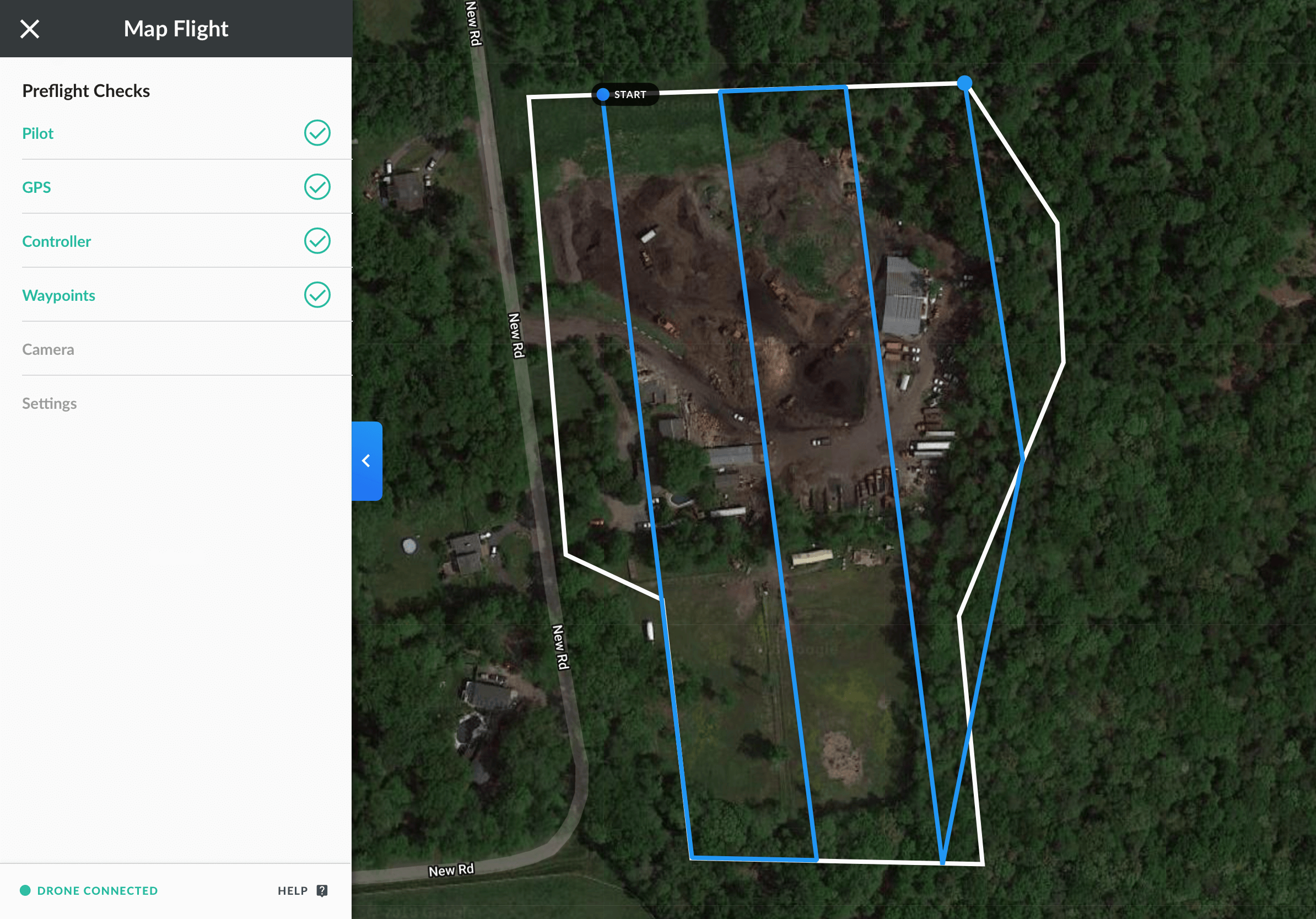
The Pre-Flight Checklist appears automatically.
Complete each required item by tapping the checkbox.
Once you complete all items, tap Start Flight to begin your mission.
Checklists in the field
- Pilots will need to go through and check off each checklist item before they can proceed to flight. Comments are not required
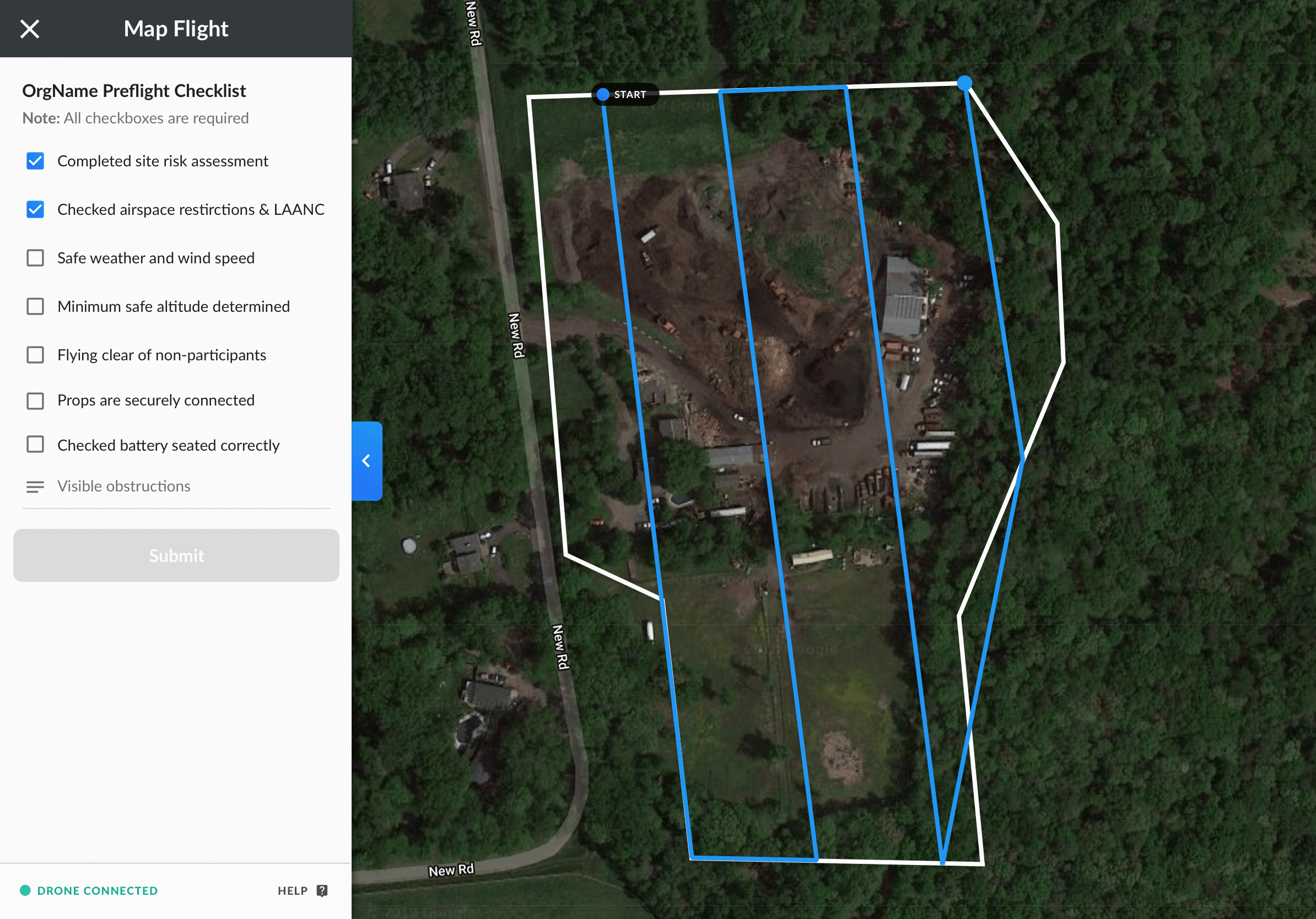
- Once the pilot has checked all the items on the checklist, the submit button will be enabled:
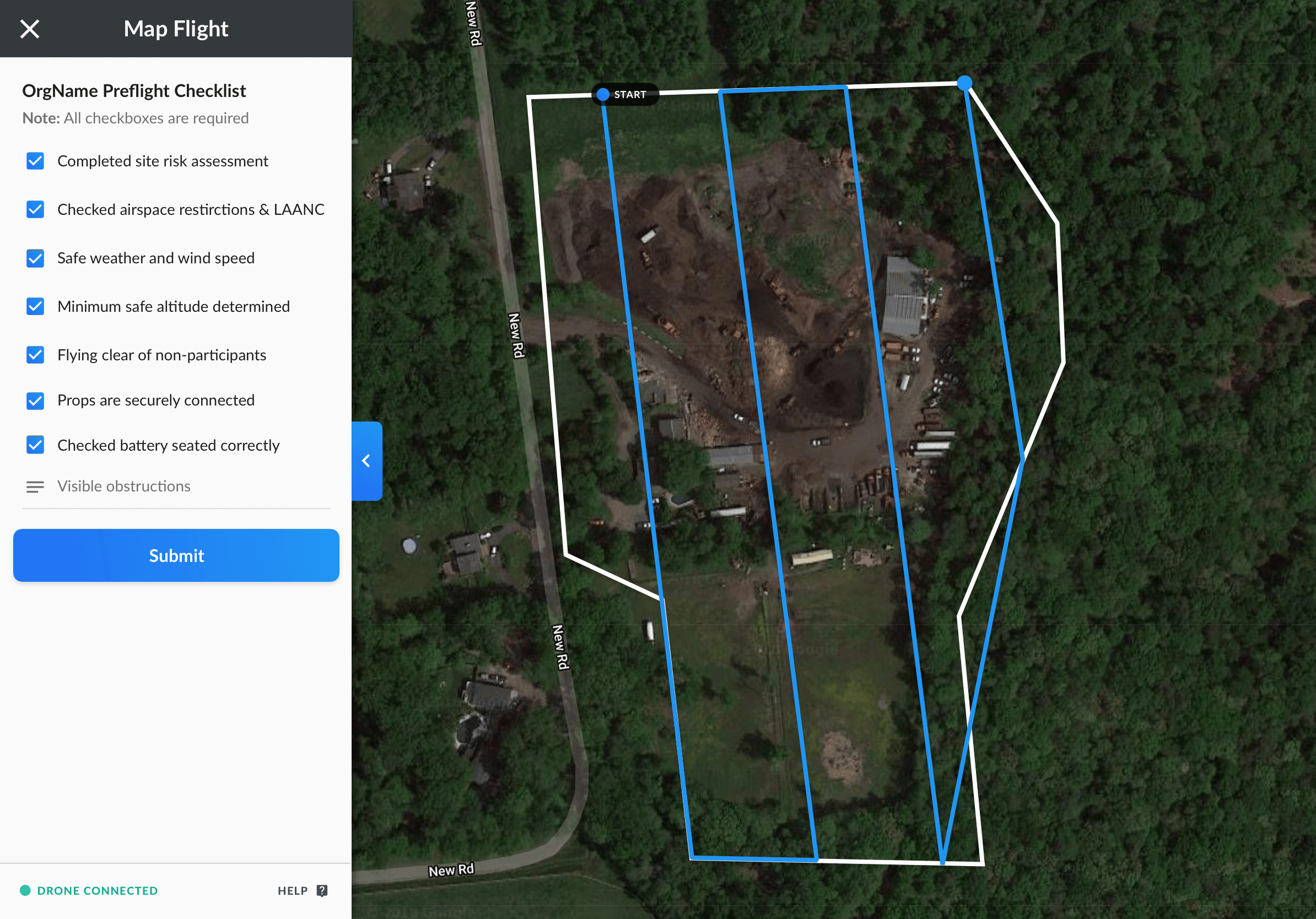
- Once the pilot checklist has been submitted, the drone will go through the drone automatic checks and the pilot will be ready to fly safely!
Key features
Required Fields: Admins can mark specific steps as mandatory to prevent pilots from bypassing critical safety checks.
Fleet Integration: Checklists link directly to specific drone models or pilot groups.
Audit Logs: DroneDeploy stores every completed checklist with the corresponding flight data for compliance reporting.
Limitations
Checklists require an internet connection to sync new updates from the admin dashboard to the mobile app.
Offline completion is available, but the data only syncs to the web app once the mobile device returns to a network area.
FAQs
Q: Can I have different checklists for different regions?
A: Yes. Organization Admins can assign unique checklists to specific folders or teams within the organization.
Q: Does DroneDeploy provide template checklists?
A: DroneDeploy includes a standard safety checklist by default, which you can use as a starting point for your custom version.
V2.2