Understanding flight safety and environmental factors is critical for a successful mission. This guide covers how to maintain control of your drone and prevent "flyaways"—incidents where the drone loses connection and fails to respond to pilot commands.
How DroneDeploy Interacts with Your Drone
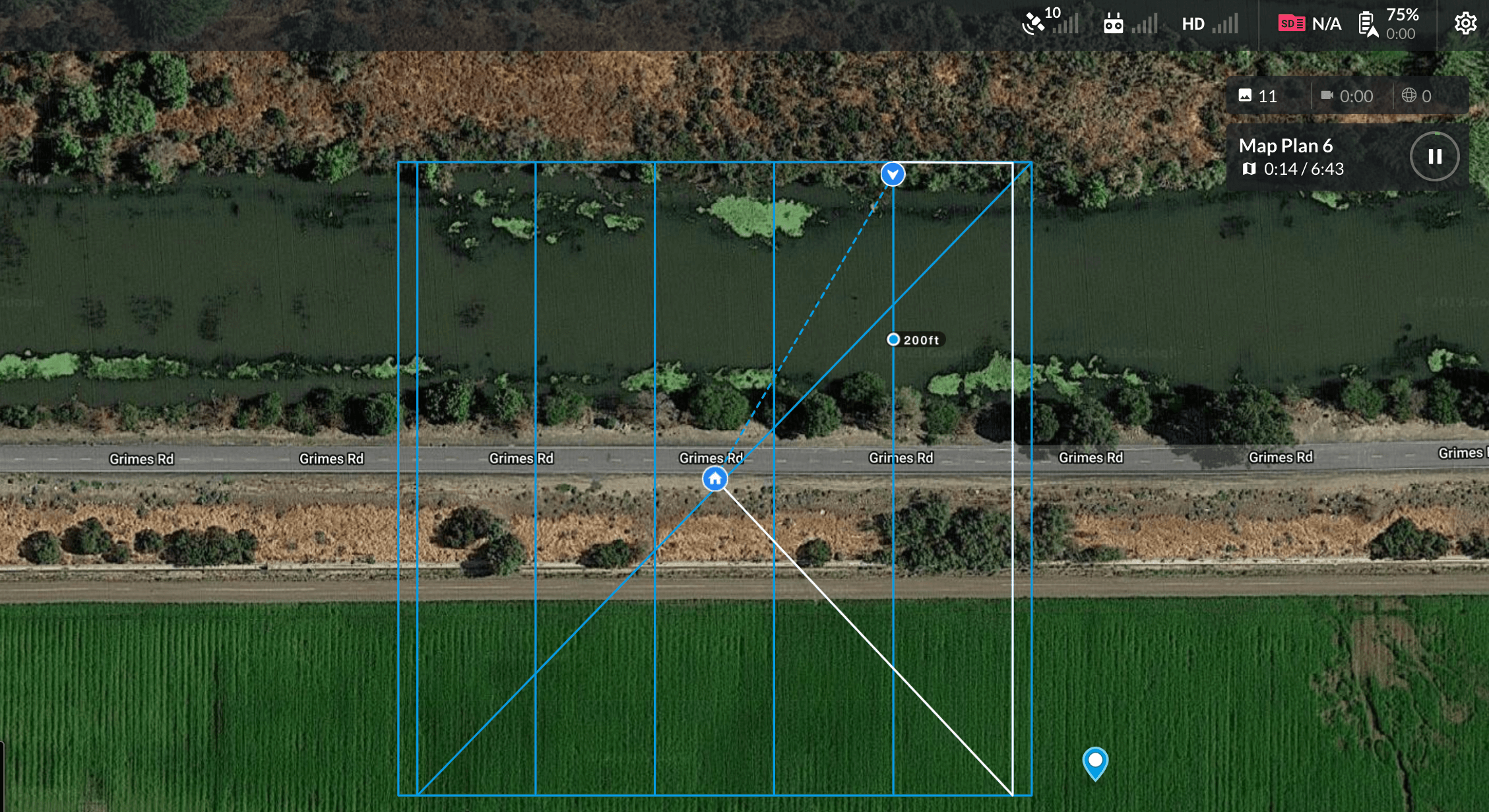
To ensure a safe flight, it is important to understand how the DroneDeploy application interacts with your DJI drone. Essentially, DroneDeploy wirelessly programs a set of waypoints into the DJI drone. The drone then follows these waypoints autonomously. The system places the final waypoint directly above the takeoff location to ensure a safe landing.
Compass Calibration
A calibrated compass is essential for safe flight and helps prevent flyaways. DroneDeploy prevents takeoff if the system detects a compass issue.
Follow these best practices for your compass:
Calibrate the compass before every flight, especially when moving to a new location.
Keep the drone away from magnetic objects, electronic equipment and large metal structures during calibration.
Avoid flying in areas with known magnetic interference or high concentrations of metallic material.
If your drone hovers in a circular pattern or drifts significantly while attempting to fly straight, land immediately and recalibrate the compass.
Location Interference
Environmental factors can disrupt the communication between your transmitter and receiver. To maintain a strong connection:
Avoid flying near high-tension power lines, cellphone antennas and microwave antennas.
Maintain a 10-meter radius of flat, clear terrain for your take-off zone.
Keep the drone within your visual line of sight throughout the entire mission.
GPS Signal and Connectivity
Your drone requires a strong GPS signal to fly autonomous missions and track its position.
Minimum Signal: If the drone does not reach the minimum required GPS signal strength, the mission will not initiate.
Signal Obstructions: Cloud cover, mountains, buildings, and heavy foliage can disrupt GPS signals.
System Messaging: If DroneDeploy detects a GPS issue, a "Mission interrupted" message appears in the app.
Obstacle Avoidance
Obstacle avoidance helps the drone detect and navigate around objects in its flight path.
Activation: Enable this feature in the Advanced Flight settings for Map and Corridor flights.
Limitations: Sensors are less effective in low light, strong sun glare or when detecting thin objects like tree branches.
Maintenance: Clean your sensors before every flight to ensure they function correctly.
v2.2