To maximize image quality on walks, use one of the 360 cameras that DroneDeploy recommends and fully supports.
Insta360 X6 (Open Beta) ★ NEW
The Insta360 X6 is supported in the DroneDeploy Ground App as an open beta. It is the first Insta360 camera to support 8K Walk capture at the 2 fps rate Walks run on, with a larger 1/1.1-inch sensor for improved low-light performance and 120MP panoramic photos. The X6 includes 47GB of built-in storage, so no SD card is required.
For a proven, fully supported live-capture experience today, use the X5.
Insta360 X5
The Insta360 X5 is the primary camera DroneDeploy recommends for capturing walks. It delivers next-generation imaging with an internal AI chip that provides enhanced low-light and mixed-light performance for accurate captures. The X5 features a durable, modular design with replaceable lens glass for reliability on job sites.

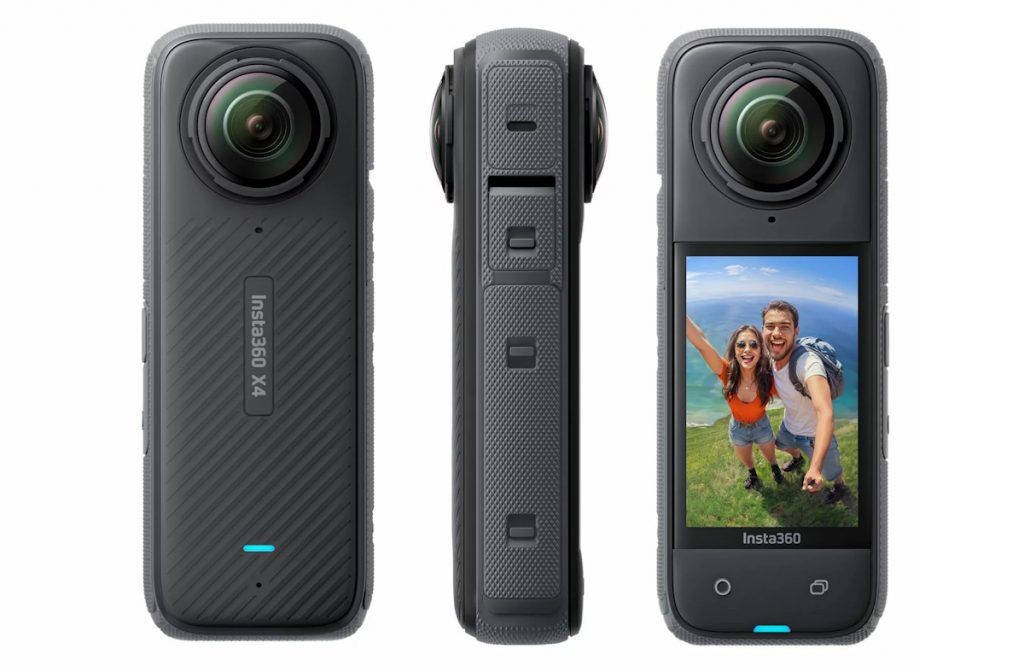
Insta360 X4
The Insta360 X4 is a compact, robust 360 camera and the secondary recommended option for walks. Dual 360° lenses capture up to 5.7K video and 72MP photos. The waterproof IPX8 design works to 33 feet underwater. A 2.29-inch touchscreen and Voice Control 2.0 provide intuitive operation.
If you have access to an X5, use it instead. The X5 delivers superior output quality and is DroneDeploy's primary recommendation.
Supported 360 Cameras: Capture and Processing
The table below lists camera models and their compatibility with the DroneDeploy Ground app. Cameras listed as supported for processing only cannot be used for capture with the Ground app, but you can still upload and process 360 imagery, standard photos, and walk data collected on those models. For more information on data processing, visit the Manual uploading and processing walks article.
Cameras marked with * have additional notes below the table.
| Camera | Supported for capture | Supported for processing |
|---|---|---|
| Insta360 X6 | Yes (Open Beta) | Yes |
| Insta360 X5 | Yes | Yes |
| Insta360 X4 | Yes | Yes |
| Insta360 ONE RS 1-Inch | Yes | Yes |
| Insta360 ONE X2 | Yes | Yes |
| Insta360 ONE X | No | Yes |
| Insta360 X3* | Yes* | Yes* |
| Insta360 ONE R | Yes | Yes |
| Insta360 Titan | No | Untested |
| Insta360 Pro 2 | No | Untested |
| Insta360 Pro | No | Untested |
| Insta360 Sphere | No | Yes |
| Ricoh Theta X | Yes | Yes |
| Ricoh Theta Z1 | Yes | Yes |
| Ricoh Theta V* | Yes* | Yes |
| GoPro Max | No | Yes |
Additional notes
- Insta360 X3: The X3 is compatible with capture and processing. For optimal performance with the DroneDeploy Ground app, use the X5 or X4 instead.
- Ricoh Theta X and Ricoh Theta Z1: As of Ground app version 2.267, Bluetooth discovery and connection are supported for both models. Connect these cameras the same way you would an Insta360 camera.
- Ricoh Theta V: The Ricoh Theta V supports capture for 360 Panos only. This camera does not support the capture of walks.
- Insta360 X4 Air: The X4 Air is not supported for use with DroneDeploy. Do not use this camera for walks.
- Insta360 X: The X is not supported beginning on app version 2.284.0+.
Recommended hardware accessories
Use these hardware accessories to get the best possible image quality when documenting a job site.
Top hard hat setup recommendations
- Camera: Insta360 X5 or X4
- Lighting: Hardhat Halo Light or 2 LED Headlamps
- SD card: SanDisk Extreme Pro MicroSDXC UHS-I U3 A2 V30 64GB with adapter
- Camera protection: Silicone case, lens cap and screen tempered film for your camera model
- Hardhat mount: Hardhat Mount Camera Clip
Lights
- BUSHMAN Panoramic HALO 360 LED Light
- LED Rechargeable Work Light
- LED Headlamp
Monopod accessories
- Selfie Stick
- 72-inch Monopod
- Phone and Tablet Holder
Monopod lights
- BUSHMAN Panoramic HALO 360 LED Light
- LED Rechargeable Work Light (zip-tie 2 of these to the monopod)
Hardhat mount accessories
- Hardhat Mount Camera
- Hardhat Light
- Hardhat Light Clips
- Hardhat Halo Light
Company links
For more information on the hardware listed above, visit the official manufacturer websites:
v2.0